Salon booking software with a stylist calendar
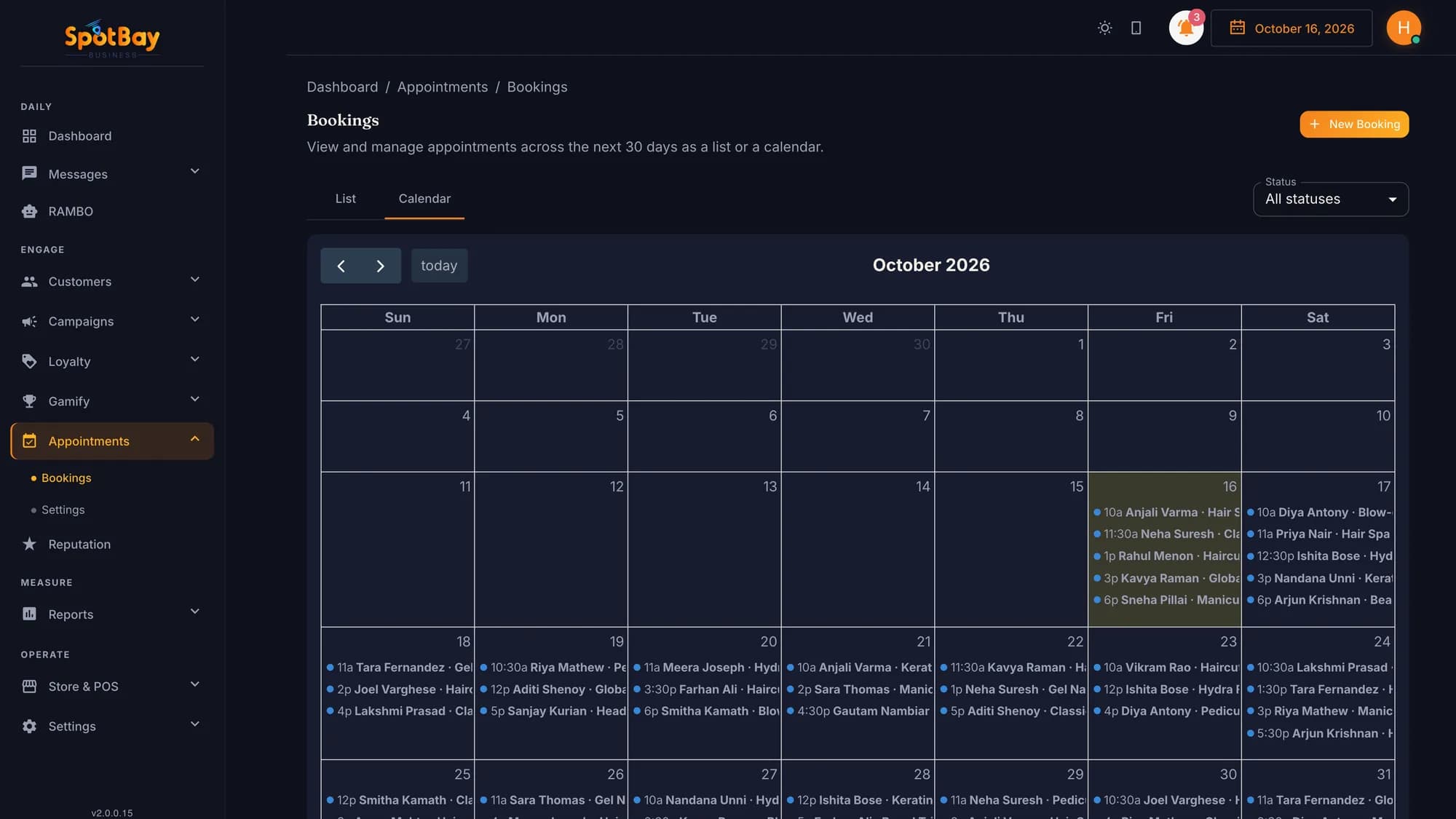
Clients book on your booking page or in a WhatsApp chat, and the front desk adds calls and walk-ins. Every booking lands on one calendar with a lane for each stylist, and WhatsApp confirms the booking and reminds the client before the visit.
- Booking page, WhatsApp bot and front desk
- A lane for each stylist, with seats and time off
- WhatsApp confirmation, reminders and cancellation
- A WhatsApp alert for every new booking
- Runs in any browser
- Android POS app
- Official WhatsApp Business Platform
- GST invoices
See it in action
How a salon booking comes together
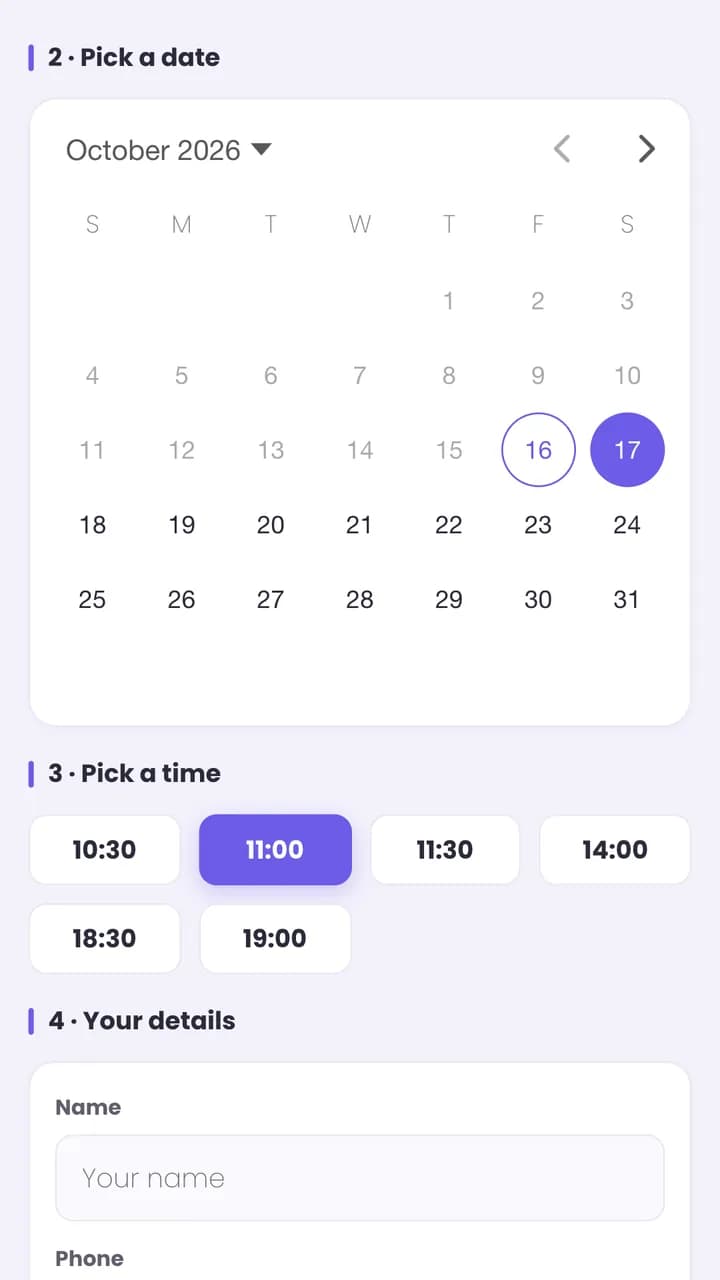
Set it up once. After that, every booking follows the same path, whether it comes from the web, WhatsApp or the front desk.
Step 1 of 4
A closer look
The real screens you'll use
Captured from SpotBay with a sample business.
Front desk
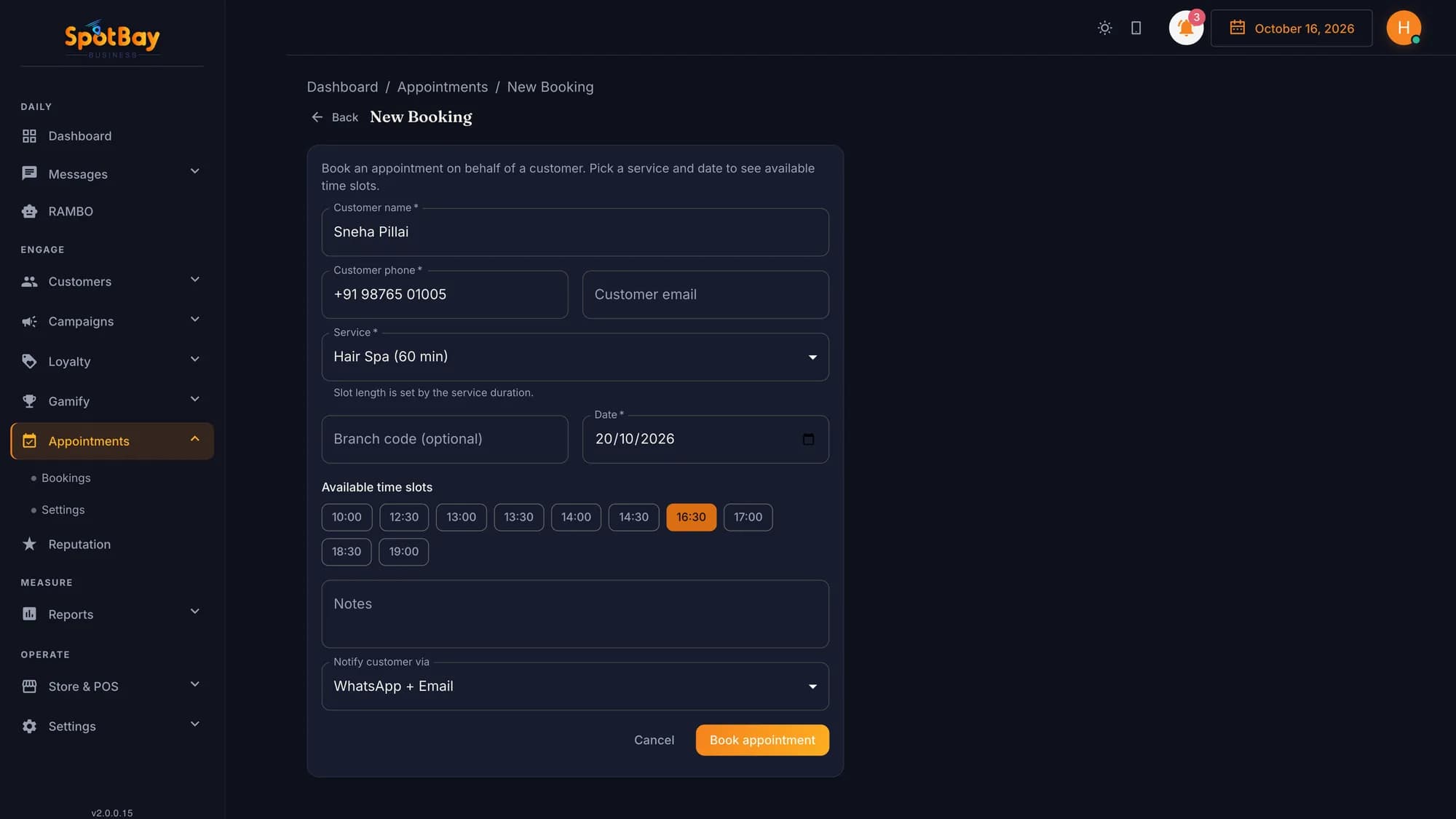
Book a walk-in or a caller in seconds
Pick the service and date, choose a free slot, and send the confirmation on WhatsApp.
- Only free slots are shown
- Assign the stylist
- Notes on the booking
Service menu
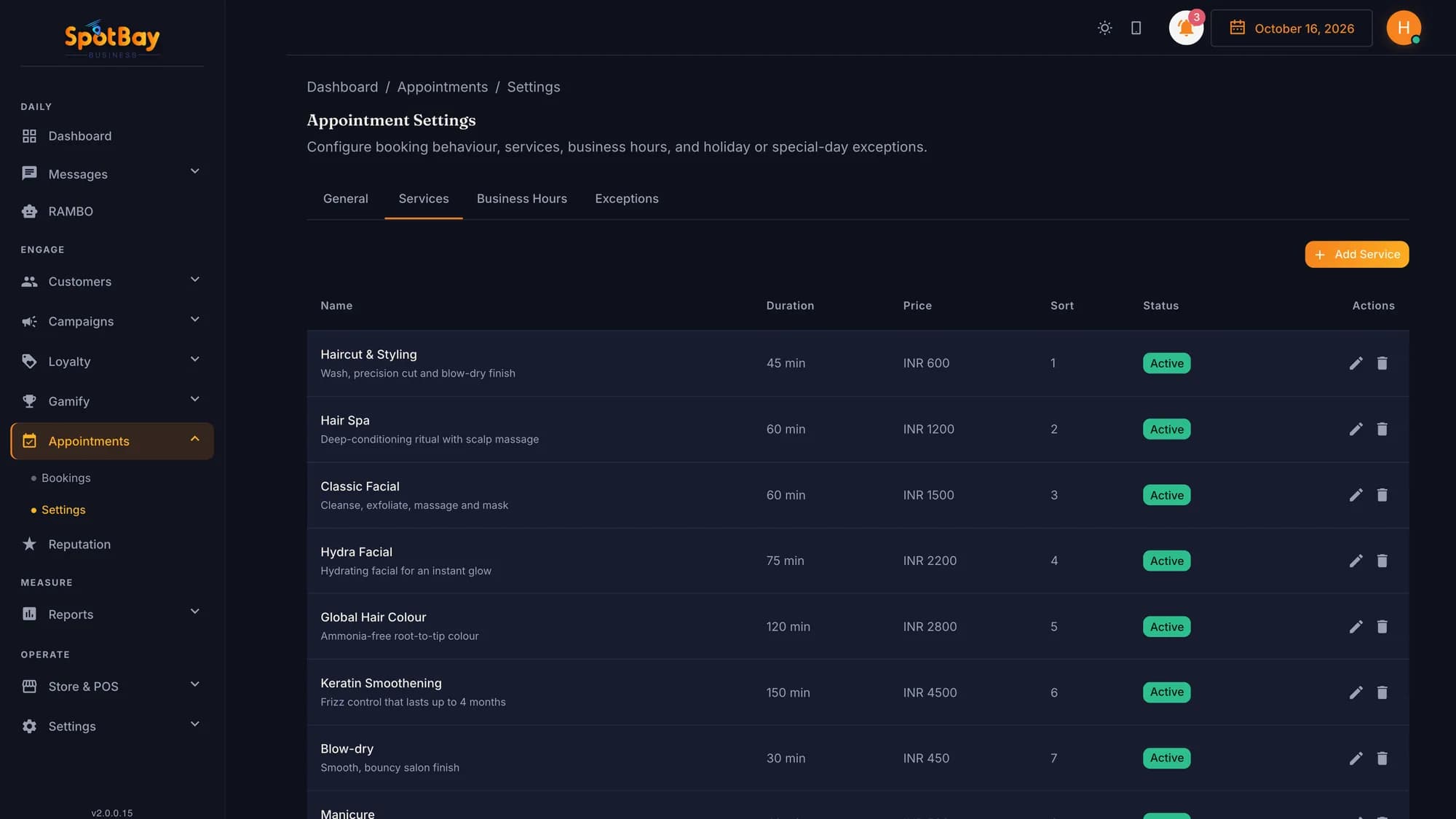
Every service with its time and price
Durations decide the slots clients can pick, on your booking page and in the WhatsApp chat.
- Turn services on or off
- Shown on the booking page and bot
- Your order, your prices
Booking for every kind of salon
Hair salons
Glow Studio sets which stylists do colour and gives each one a weekly off. Online bookings are assigned automatically, and the front desk reassigns one when a regular asks for their usual stylist.
Unisex salons
A unisex salon sets 6 seats, so six clients can be served at the same time, and lists men's and women's services with their own durations and prices.
Spas & wellness
A spa sets its treatment rooms as seats and adds therapists as staff. When a therapist takes an afternoon off, the front desk marks time off for that time range.
Nail & lash studios
A lash studio puts its booking page link in its Instagram bio. Clients book a refill in the browser and get a WhatsApp confirmation, then a reminder 2 hours before.
Bridal & makeup studios
A bridal studio books trials and wedding-day slots, with reminders 1 week and 1 day before. Special hours on chosen dates cover early-morning weddings.
Salon chains
A salon chain's front desks book walk-ins on the POS calendar and switch between Branch day and Staff week. The Business Notify Number gets a WhatsApp alert for each new booking.
Everything the front desk needs
Your own booking page
Clients pick a service and a time at play.spotbay.in/booking/your-salon. Share the link on Instagram, Google or WhatsApp; there is nothing to install.
Booking in the WhatsApp chat
The booking bot walks the client through service, day, slot, name and email, then confirms. It runs on your own WhatsApp Business number.
Front desk and POS calendar
Book calls and walk-ins from the business app or the POS calendar. See the Branch day with a lane for each stylist or seat, or switch to Staff week.
Stylists and their services
Stylists come from your POS staff list. Choose who is bookable, which services each person does and their weekly off.
A stylist on every booking
Turn on “Assign staff to every booking” and online bookings are assigned automatically. The front desk can assign or reassign a stylist from the calendar.
Chairs, rooms and stations
Set from 1 to 50 seats or stations that can serve at the same time, to match your chairs, beds or rooms.
Time off and special hours
Mark time off for a stylist for a whole day or a time range. Add closed days or special hours for the salon on any date.
Confirmations, reminders and cancellations
WhatsApp messages go out when a booking is confirmed, before the visit and if it is cancelled. Emails go out on confirmation and on reschedule.
Messages to clients
- WhatsApp confirmation when the booking is made
- Reminders at 1 week, 2 days, 1 day, 4 hours, 2 hours, 1 hour or 30 minutes before
- 1 day and 2 hours before are set by default
- WhatsApp message when a booking is cancelled
- Emails on confirmation and on reschedule
At the front desk
- WhatsApp alert to your Business Notify Number for each new booking
- Reschedule with “Notify the customer”
- Assign or reassign stylists
- Choose WhatsApp Chatbot, Booking Web Page or Both
- Branch day and Staff week views in the POS
After the visit
- Bill services and products on SpotBay POS
- Tag the stylist on each service
- Pay from a prepaid wallet or use a membership
- Thank you + Rate us message after the bill
- Automations triggered by appointments, products or visits
Works with the rest of SpotBay
Questions people ask
Do my clients need to download an app to book?
No. Your booking page opens in any phone browser, and clients can also book by messaging your WhatsApp number. Confirmations and reminders arrive on WhatsApp.
Can clients pick their stylist when they book online?
Not today. When “Assign staff to every booking” is on, online bookings are assigned to a stylist automatically. The front desk can choose a specific stylist when it books, or reassign the appointment from the calendar.
How do I avoid double bookings?
Set how many seats or stations can serve at the same time, from 1 to 50, to match your chairs. Mark weekly offs and time off for each stylist, and turn on “Assign staff to every booking” if you want a stylist on every appointment.
When are appointment reminders sent?
You choose from 1 week, 2 days, 1 day, 4 hours, 2 hours, 1 hour and 30 minutes before the appointment, and can combine several. By default, reminders go out 1 day and 2 hours before.
Can clients pay a deposit, or cancel and reschedule themselves?
Not today. Bookings are taken without payment, and clients can't cancel or reschedule on their own. Your team reschedules from the admin side, with the option to notify the client, or cancels the booking, which sends a WhatsApp cancellation message. There is no Google Calendar sync either.
Do I need my own WhatsApp number?
For the WhatsApp booking bot, yes. Chatbots run on your own WhatsApp Business number, which you connect to SpotBay through Meta's sign-up. See the pricing page for the plans that include your own number.
Does it work for spas and wellness centres?
Yes. Add therapists as staff and set your rooms or beds as seats. Prepaid spa packages are handled with membership cards and wallets in the SpotBay POS.
See Salon Booking Software working for your business
Create your account on the ₹0 plan and add what you need as you grow — or let us show you around on WhatsApp.