Cashback, points and membership cards that bring customers back
Give customers cashback or points on every bill, and let them redeem rewards and offers right at your counter. Sell membership cards with prepaid wallet credit, and let customers check their balance on their own brand page.
- Cashback is included in the ₹0 Growth Free plan
- Points and a rewards catalogue on Growth Pro
- Redeem in the POS "Rewards & Offers" step
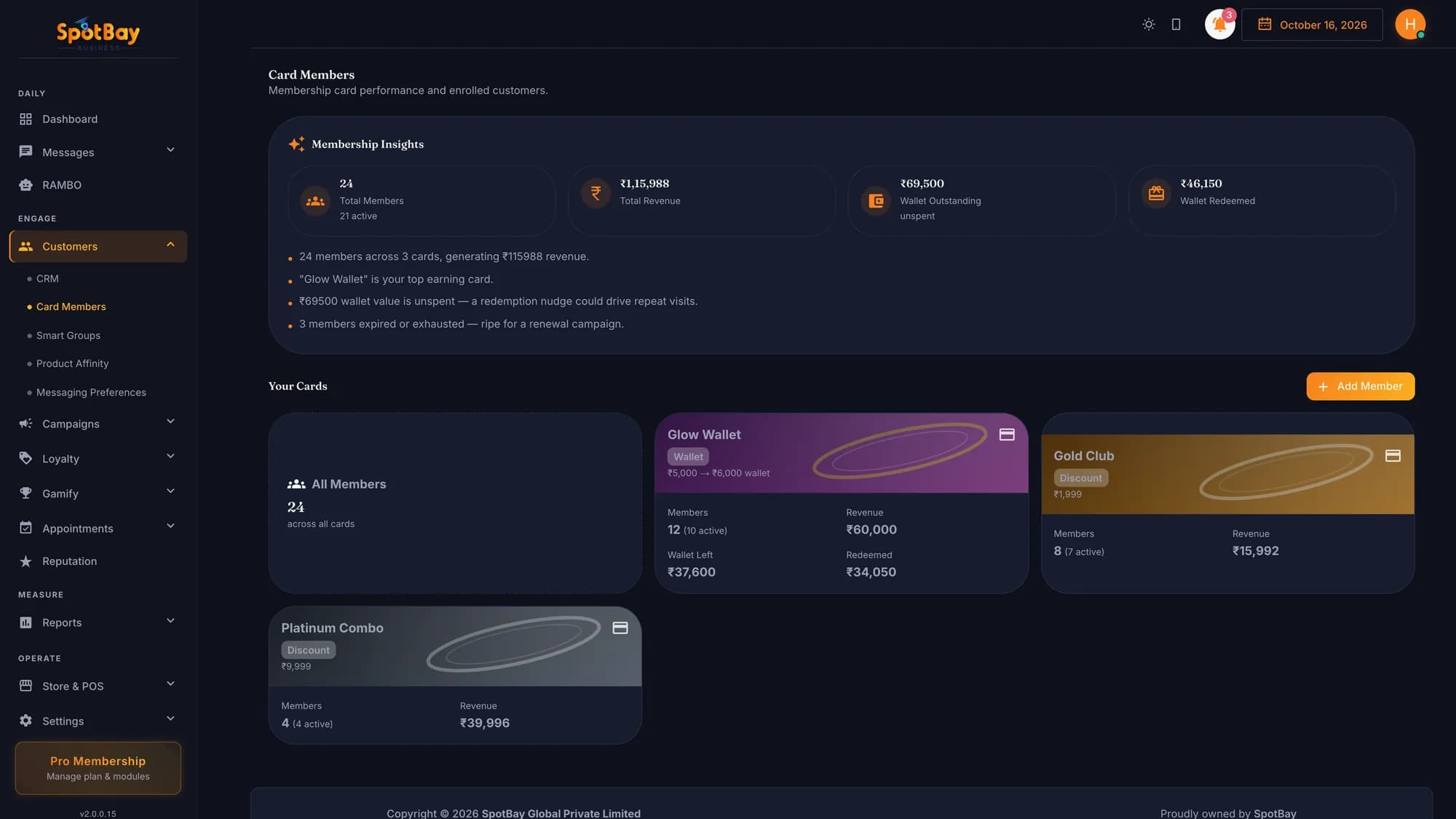
- Discount, Prepaid Wallet and Combo membership cards
- Runs in any browser
- Android POS app
- Official WhatsApp Business Platform
- GST invoices
See it in action
From the first bill to the next visit
Set your rules once. After that, customers earn on every bill and come back to use what they have earned.
Step 1 of 4
A closer look
The real screens you'll use
Captured from SpotBay with a sample business.
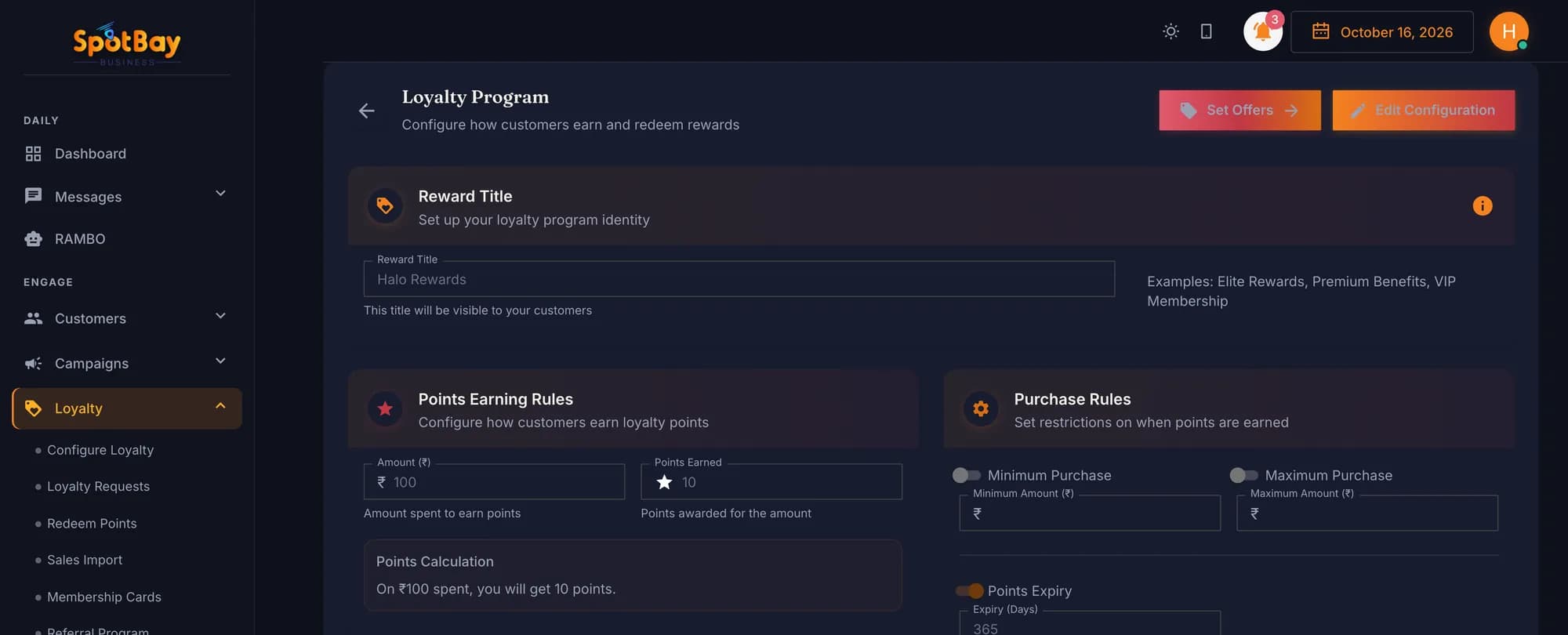
Programme rules
Set how customers earn and redeem
Choose points or cashback, how much a customer earns per rupee, the minimum bill and when points expire.
- Points per ₹ spent, or a cashback %
- Minimum and maximum purchase rules
- Points expiry with reminders
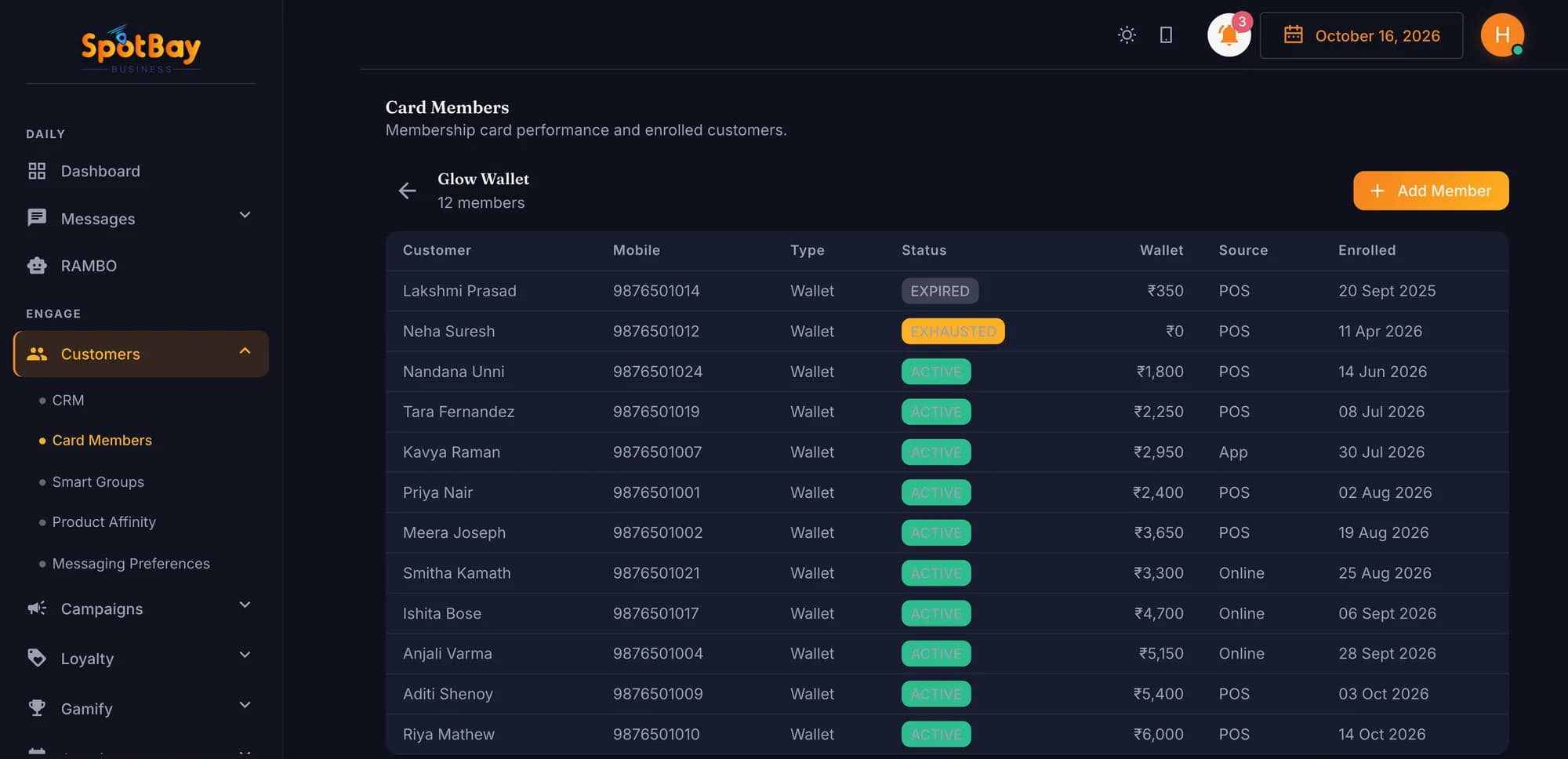
Membership cards
Every member and wallet balance
See who holds each card, how much is loaded and what is left — and recharge at the counter.
- Wallet load can be more than the card price
- Recharge at the counter, even on an expired card
- Validity from 1 month to no expiry
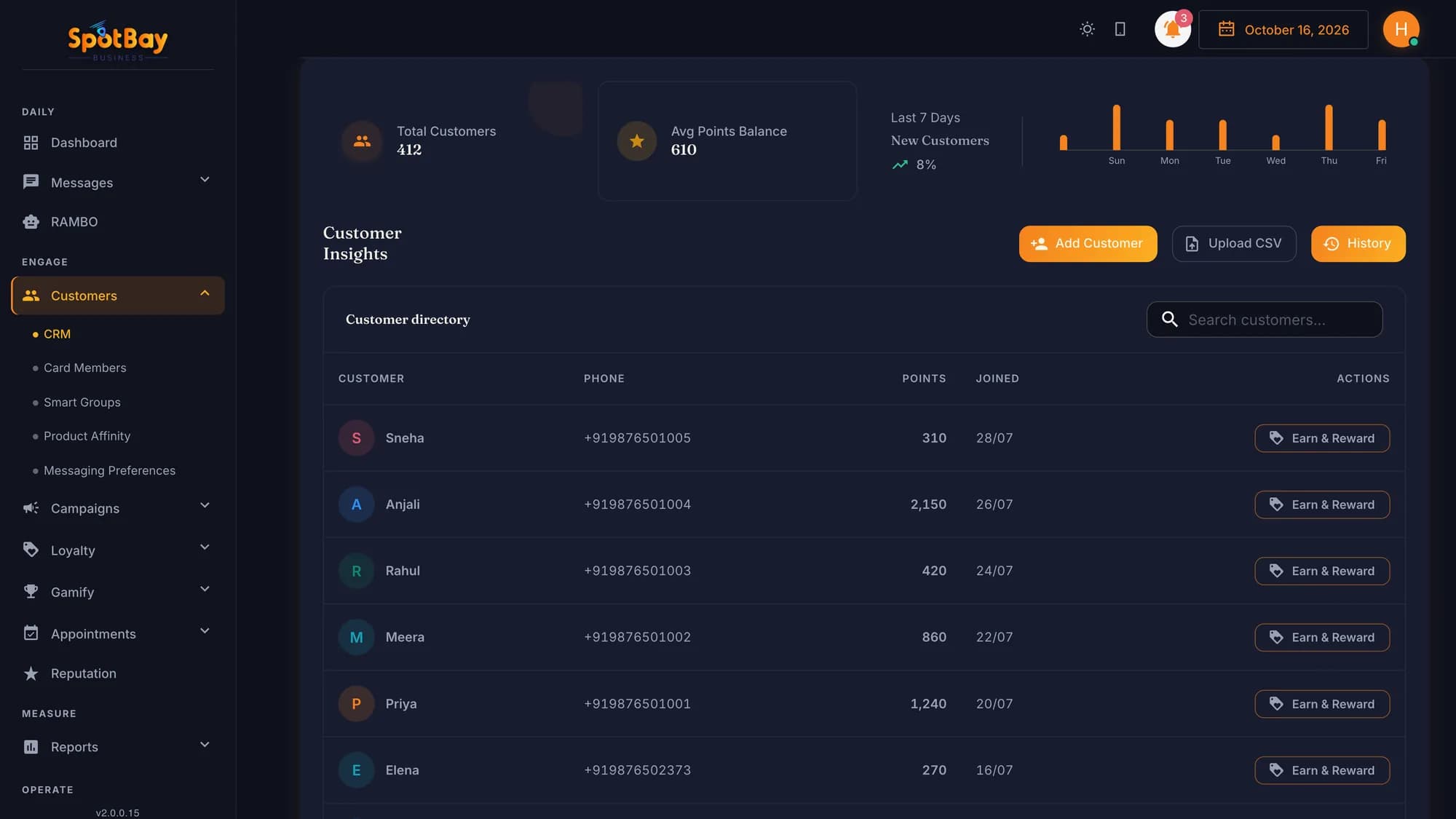
Customers
Earn and reward from the customer list
Look a customer up, see their points, and award or redeem without leaving the directory.
- Points balance next to every customer
- Earn & Reward in one click
- Add customers or upload a CSV
How businesses use it
Restaurants & cafés
Café Aroma gives points on every bill and lists a free dessert in its rewards catalogue. Regulars check their points on the brand page and claim the dessert at the counter.
Salons & spas
Glow Studio sells a Prepaid Wallet Card priced below its wallet load, so clients get bonus credit. Each service is paid from the wallet at the POS.
Clinics
CarePlus Clinic sells a 12-month Discount Card on the bill at the front desk. The card discount is applied on each later visit.
Fitness & wellness
Pulse Fitness gives cashback when members leave feedback, and runs a Featured offer on protein shakes for a group of regular members.
Retail
Urban Threads bills on its existing POS. Each week it uploads a CSV of sales with Sales Import, so shoppers still earn points.
Supermarkets
A shopper who forgot to give their number sends a photo of the bill on WhatsApp. The store approves the point request and the points are added.
What’s included
Cashback programme
Give a % of the bill back as cashback, with a minimum and maximum purchase and an expiry in days.
Points programme
Customers earn X points for every ₹Y they spend, above a minimum purchase. You set when points expire.
Rewards catalogue
Add rewards with a title, points required, minimum bill and validity. Each reward is a % discount or a free item.
Offers
Create % Discount, Fixed Amount, Free Item or Loyalty Points offers. Target All Customers, a Group or a Specific User, for One Time or Multiple use, and mark offers as Featured.
Membership cards
Sell a Discount Card, Prepaid Wallet Card or Combo Card. Set the price and the wallet load separately to add bonus credit.
Redeem at the counter
In the POS "Rewards & Offers" step, apply points, cashback, offers and community offers. Membership and voucher redemption also works from "Redeem Points" in the business app.
Customer brand page
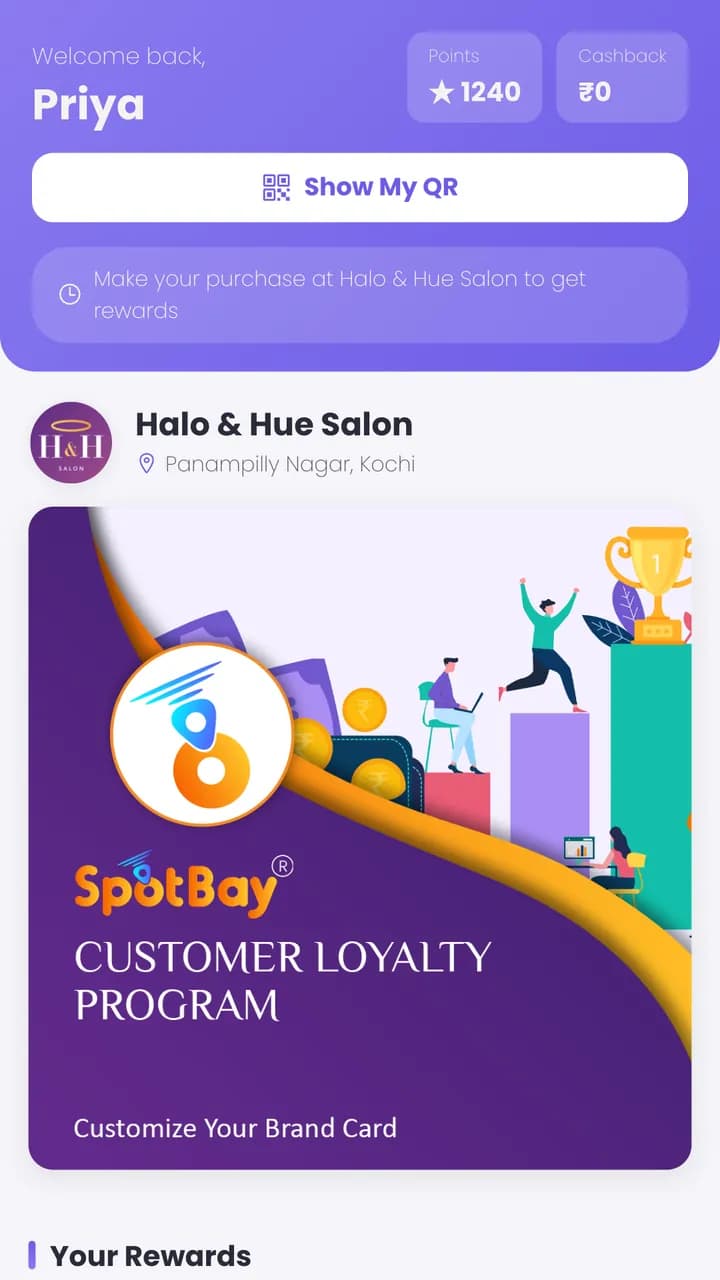
Each customer gets a page with their points and cashback balance, a "Show My QR" button, your rewards catalogue and a referral invite.
Bill-photo point requests
A customer sends a photo of their bill on WhatsApp. SpotBay reads the bill, and the points are added once you approve it.
Sales Import
Use another POS? Upload a CSV of sales to credit points. Duplicate rows are skipped, and you get a report for every row.
Earning and expiry
- Run cashback, points, or both together
- Set minimum and maximum redeem amounts
- Points expiry reminders go out automatically
- Cashback for feedback, one time or on every purchase
- Send a loyalty points message after each purchase
- Credit points from a bill photo or a CSV of sales
Membership cards
- Discount Card, Prepaid Wallet Card or Combo Card
- Validity of 1, 3, 6, 12 or 24 months, or no expiry
- Sold on the bill at your POS
- A wallet recharge at the POS revives an expired card
- WhatsApp welcome message when a customer enrols
- Redeem from the Membership / Voucher tab in the business app
At the counter
- Find the customer by mobile number or "Scan customer QR"
- Billing → Checkout → Rewards & Offers → Payment
- Redeem points, cashback, offers and community offers
- Membership discounts applied on the bill
- Pay from the wallet, or split across Cash, Card, UPI and Wallet
Works with the rest of SpotBay
Questions people ask
Can I run customer tiers like Silver and Gold?
No. SpotBay doesn't have customer tiers. To give regulars more, you can sell membership cards (Discount, Prepaid Wallet or Combo), or create offers for a group or a specific customer.
What is the difference between cashback and points, and what does each cost?
Cashback returns a % of the bill to the customer, with an expiry in days. It is part of Growth Free (₹0). Points are earned per ₹ spent and redeemed from your rewards catalogue. Points and rewards are part of Growth Pro (₹2,000/mo per branch, billed annually, plus GST). You can run both.
What kinds of rewards can I offer?
Rewards in the catalogue are a % discount or a free item, each with the points needed, a minimum bill and validity. Offers add more types: % Discount, Fixed Amount, Free Item and Loyalty Points.
How do customers redeem?
At the SpotBay POS, the cashier finds the customer by mobile number or by scanning the QR on their brand page, then applies points, cashback or an offer in the "Rewards & Offers" step. Membership cards and vouchers can also be redeemed from "Redeem Points" in the business app. The POS is an add-on: ₹1,000/mo with Growth Pro, or ₹2,000/mo otherwise.
I already use another billing system. Can I still give points?
Yes. Upload a CSV of your sales with Sales Import and points are credited. Duplicate rows are skipped and you get a report for each row. Customers can also send a photo of their bill on WhatsApp, and you approve the point request.
How do customers check their balance?
Each customer has a brand page at play.spotbay.in/brandpage/… that shows their points and cashback balance, your rewards catalogue and a "Show My QR" button to use at the counter.
Do points expire?
You set the points expiry when you set up the programme, and customers get points expiry reminders automatically. Cashback has its own expiry in days.
See Loyalty working for your business
Create your account on the ₹0 plan and add what you need as you grow — or let us show you around on WhatsApp.