Send the right offer to the right customers, and see who read it
Choose an audience from your own customer data, pick an approved template with an image or video, and send it now or on a schedule. Afterwards, the report shows what was delivered, read or failed, and why.
- Send to All Customers, Smart Groups, Suggested Customers or Tags
- Schedule in IST, then edit or cancel
- Meta's reason shown for every failed message
- Smart Retry for failures, CSV export of the report
- Runs in any browser
- Android POS app
- Official WhatsApp Business Platform
- GST invoices
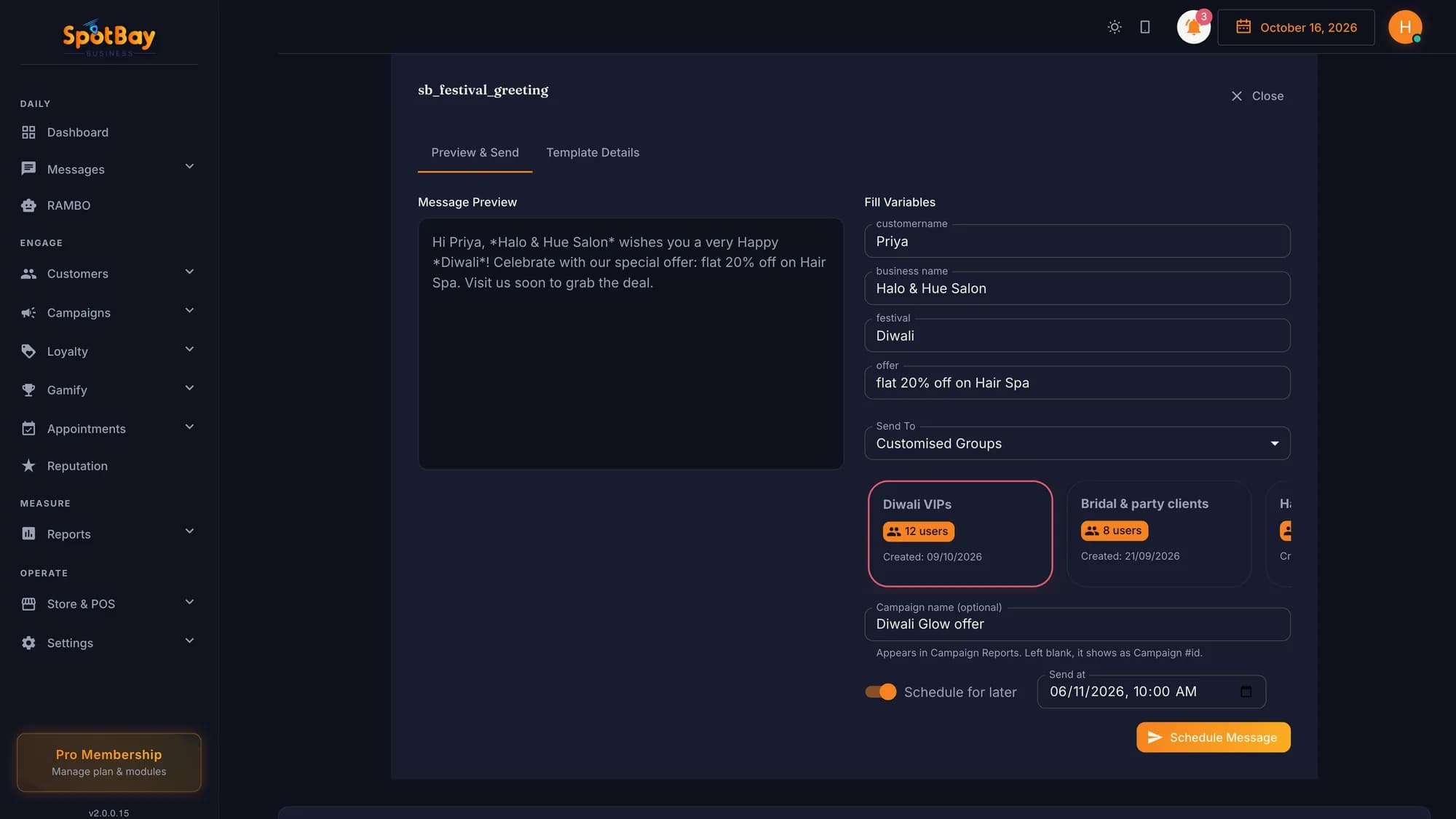
See it in action
One campaign, start to finish
Here's how Café Aroma plans and sends its weekday lunch offer.
Step 1 of 4
A closer look
The real screens you'll use
Captured from SpotBay with a sample business.
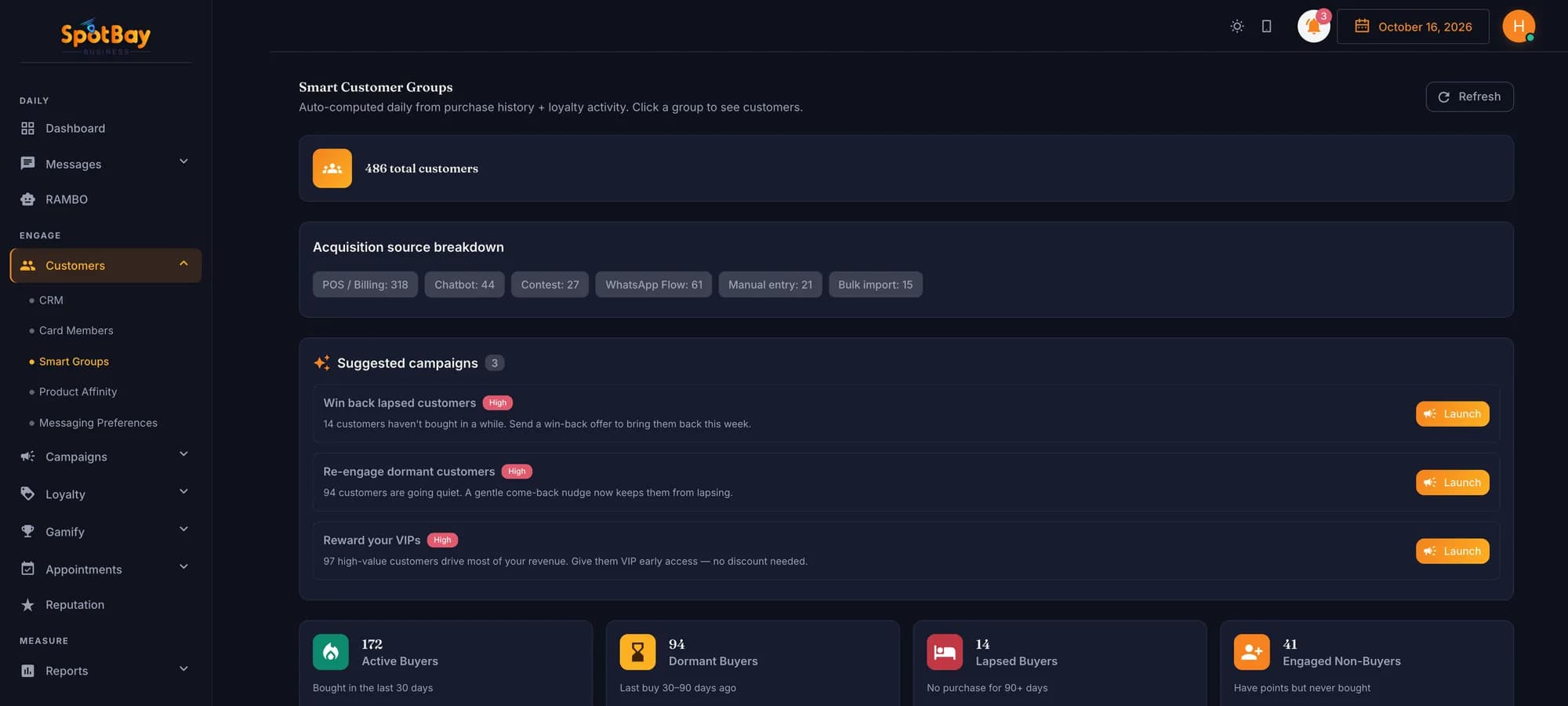
Audience
Pick who should get it
Smart Groups split customers by when they last bought and how much they spend, with a campaign suggested for each.
- Active, dormant, lapsed, high value
- Refreshed every 3 hours
- One click to send to a group
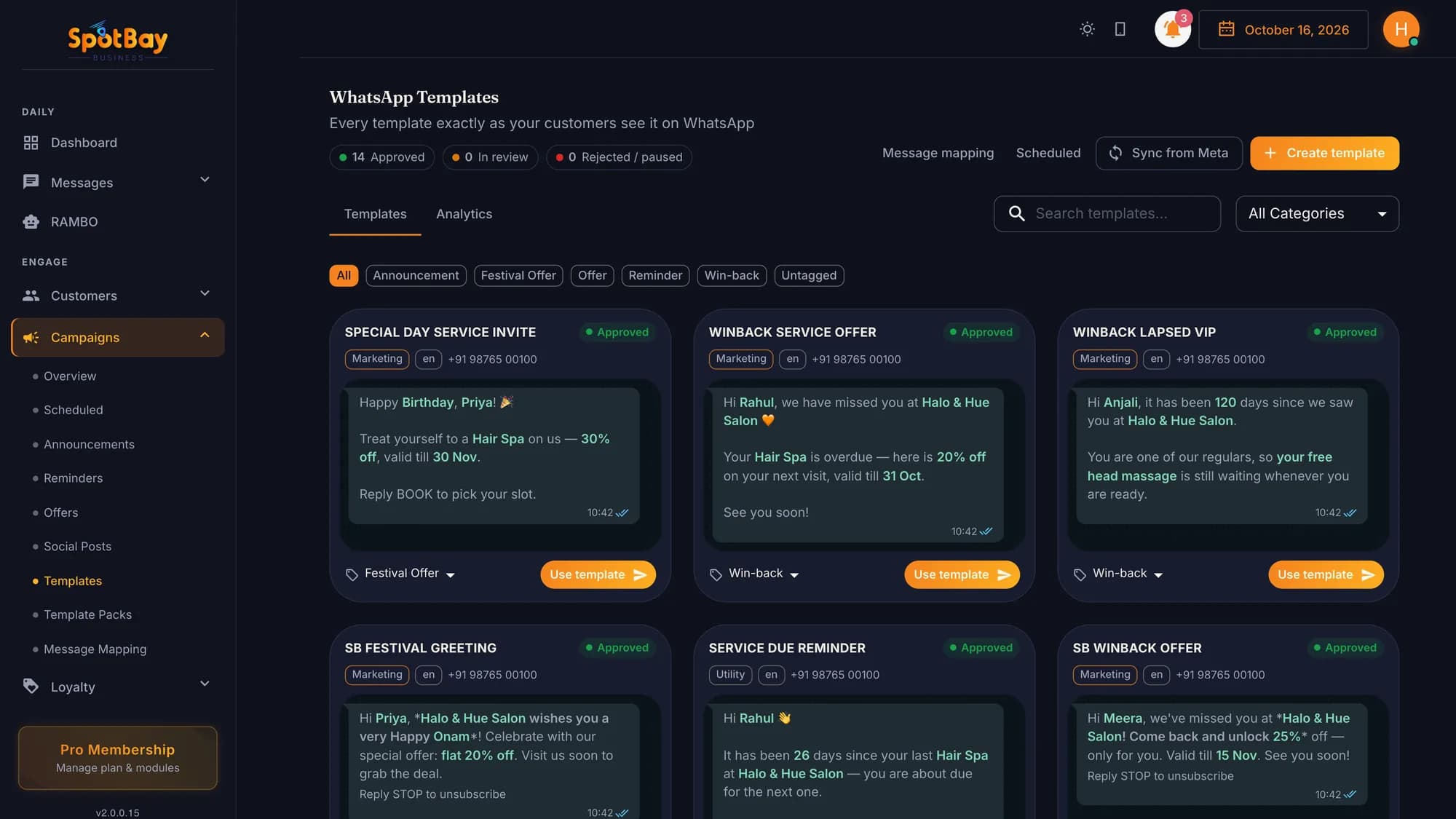
Templates
Start from a ready message
Browse approved templates by occasion — offers, win-back, festivals — and use one in a click.
- Image or video headers
- Link and Call buttons
- Template packs install in one click
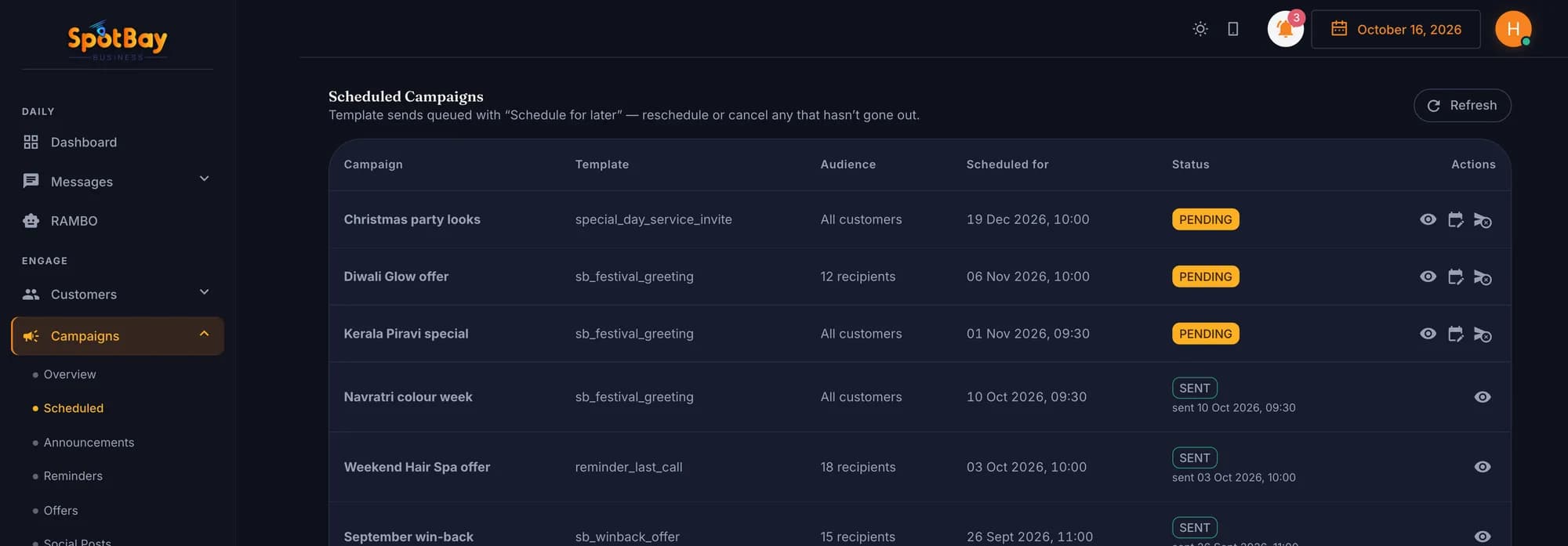
Schedule
Line up the month
See every scheduled campaign and change it before it goes out.
- Edit or cancel scheduled sends
- Sent campaigns move to reports
- Smart Retry for failed messages
How businesses use it
Restaurants & cafés
Café Aroma schedules its new lunch combo, with a photo, for its Dormant Smart Group at 11:30 am on a Tuesday.
Salons & spas
Glow Studio sends a monsoon hair-spa offer to its High Value Smart Group, with a Link button to its booking page.
Clinics
CarePlus Clinic schedules a free eye-check camp notice a week ahead for patients in its Senior care Tag, with a Call button for the front desk.
Fitness & wellness
Pulse Fitness sends a video of its new yoga batch to the Lapsed Smart Group, then checks the report to see who read it.
Events
An event organiser sends the day's schedule as a PDF to everyone tagged for this year's run, two days before the event.
Retail
Urban Threads sends its festive sale to One-Time Buyers and downloads the report as CSV to see whose messages failed.
What’s included
Four ways to choose an audience
Send to All Customers, Grouped Customers (Smart Groups), Suggested Customers, or a Tag you created yourself.
Smart Groups, ready to use
Active Buyers, Dormant, Lapsed, Engaged Non-Buyers, Cold Leads, High Value and One-Time Buyers. They refresh every 3 hours.
Templates with images and video
Use templates with a text, image or video header. At send time, attach an image (up to 5MB), a video (up to 16MB) or a PDF.
Link and Call buttons
Add up to 3 buttons to a template: Link opens a web page, such as your booking page or online store, and Call dials your number.
Send from the right number
If your business has more than one WhatsApp number, choose which one sends the campaign under Send from.
Schedule in IST
Send now or pick a date and time in IST. A scheduled campaign can be edited or cancelled until it goes out.
Announcement rules
Announcements go as a free session message to customers active in the last 24 hours, and as a template to the rest. At most 2 a day per customer, and none between 10pm and 8am.
Reports with reasons
Sent, Delivered, Read, Failed, Opted-out and Retrying counts for each campaign. Every failure shows the reason Meta gave.
Smart Retry and CSV
Failed messages are retried automatically, with a growing gap between tries. You can also retry by hand and export the report to CSV.
Before you send
- Connect your own WhatsApp Business number; campaigns need one
- Get the template approved by Meta; the status updates every 15 minutes
- Pick the Send from number and a time in IST
- Check your WhatsApp marketing credit balance and top up if needed
- Check the preview with its image, video or PDF
After you send
- Watch the counts on Campaign Reports
- Read Meta's reason for each failed message
- Let Smart Retry try failures again, or retry by hand
- Download the report as CSV
- See who opted out in the Marketing Opt-outs report
Works with the rest of SpotBay
Questions people ask
Who can I send a campaign to?
All Customers, a Smart Group, Suggested Customers or a Tag. Smart Groups such as Dormant or High Value sort your customers on their own and refresh every 3 hours. Tags are groups you create and fill yourself.
Can I schedule a campaign and change it later?
Yes. Pick a date and time in IST. Until the campaign goes out, you can edit it or cancel it.
Can I send campaigns from SpotBay's shared number?
No. Campaigns, templates, the inbox and chatbots need your own WhatsApp Business number. You connect it through Meta's embedded signup inside SpotBay.
Does Meta have to approve each campaign?
Meta approves the template, not each send. Once a template is approved, you can use it again in later campaigns. SpotBay checks the approval status every 15 minutes.
How many messages will a customer get?
For announcements, SpotBay sends at most 2 promotional messages per customer a day and nothing between 10pm and 8am. Customers can reply STOP or unsubscribe at any time to opt out, and START to opt back in.
Why did some messages fail?
When Meta can't deliver a message, it gives a reason. The Campaign Report shows that reason next to each failed message. Smart Retry tries again automatically, and you can also retry by hand.
What does a campaign cost?
Campaign messages are paid from your WhatsApp credits; message charges are separate from your plan. WhatsApp Plus starts at ₹500 a month for campaigns. Growth Pro is ₹2,000 a month per branch with your own number (₹5,000 setup per number) and 500 free messages a month. Plans are billed annually, plus 18% GST.
See Campaigns working for your business
Create your account on the ₹0 plan and add what you need as you grow — or let us show you around on WhatsApp.