WhatsApp bots that handle points, bookings and leads for you
Build a chatbot from messages, questions and buttons, then choose which bot answers on each of your numbers. Automations send the next message on their own, and your team can take over any chat from the Inbox.
- Message, Question, End and Action nodes
- Options sent as WhatsApp buttons or lists
- Handoff when a customer types “agent” or “human”
- Choose which bot answers on each number
- Runs in any browser
- Android POS app
- Official WhatsApp Business Platform
- GST invoices
See it in action
From the first message to the next visit
Here is how one customer moves through your bots and automations.
Step 1 of 4
A closer look
The real screens you'll use
Captured from SpotBay with a sample business.
Performance
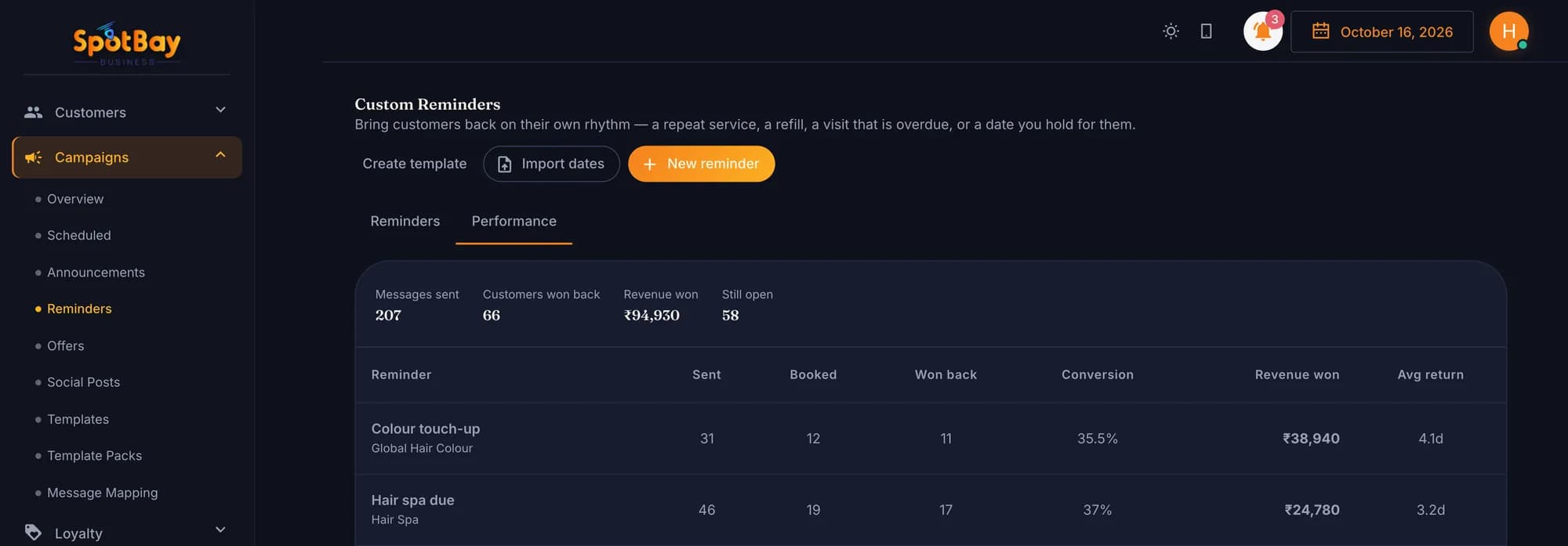
See the revenue each automation wins back
Sent, booked and won-back counts with the revenue that came in when customers returned.
- Conversion per automation
- Revenue won
- Average days to return
Due today
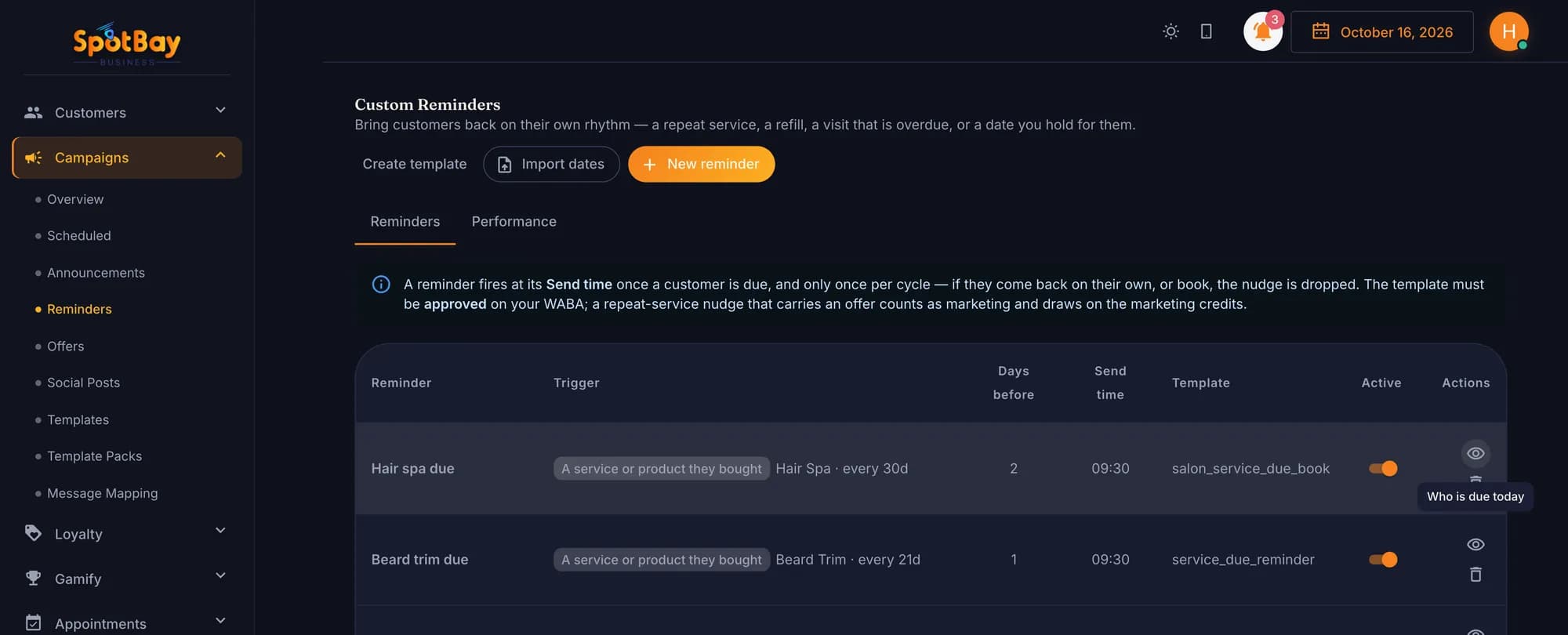
Know who is due before they drift
Each automation shows which customers it will message today, based on what they bought and when.
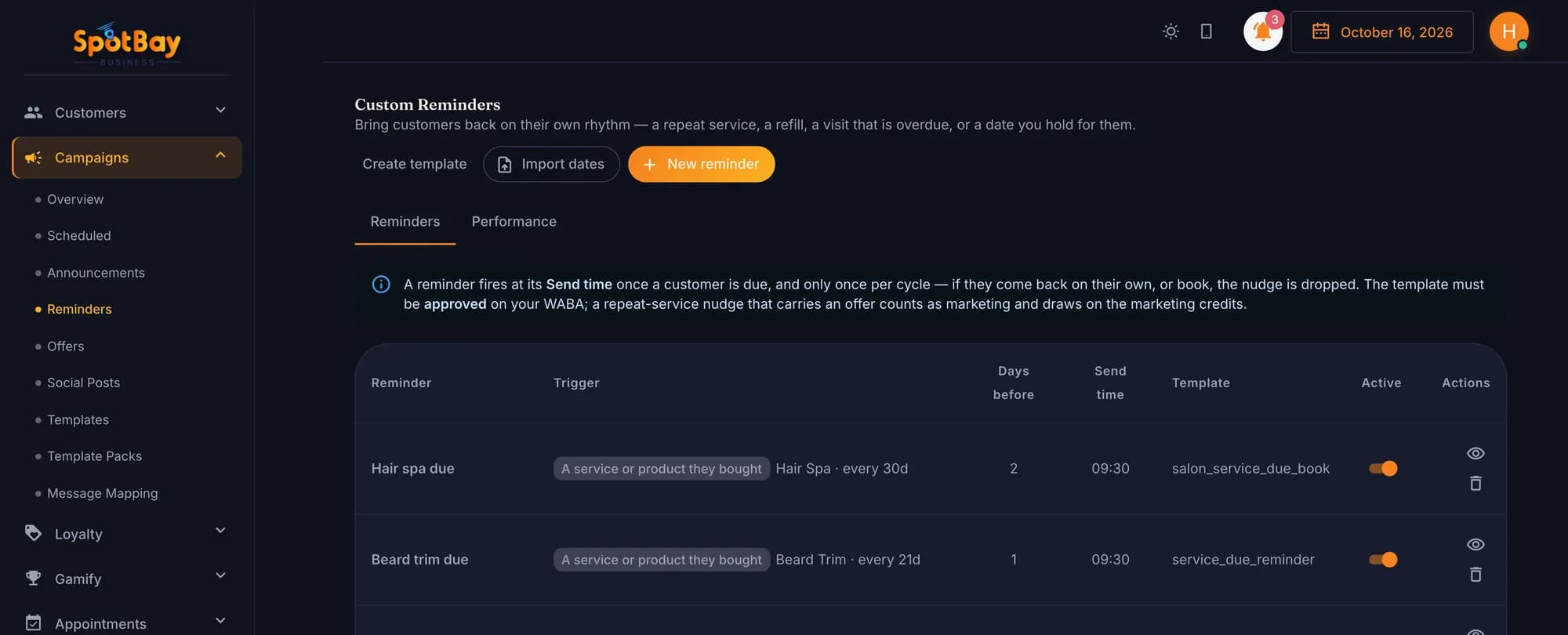
- Triggers on a product, category, visit or date
- Repeats weekly to yearly
- Import dates from a CSV
Automatic campaigns
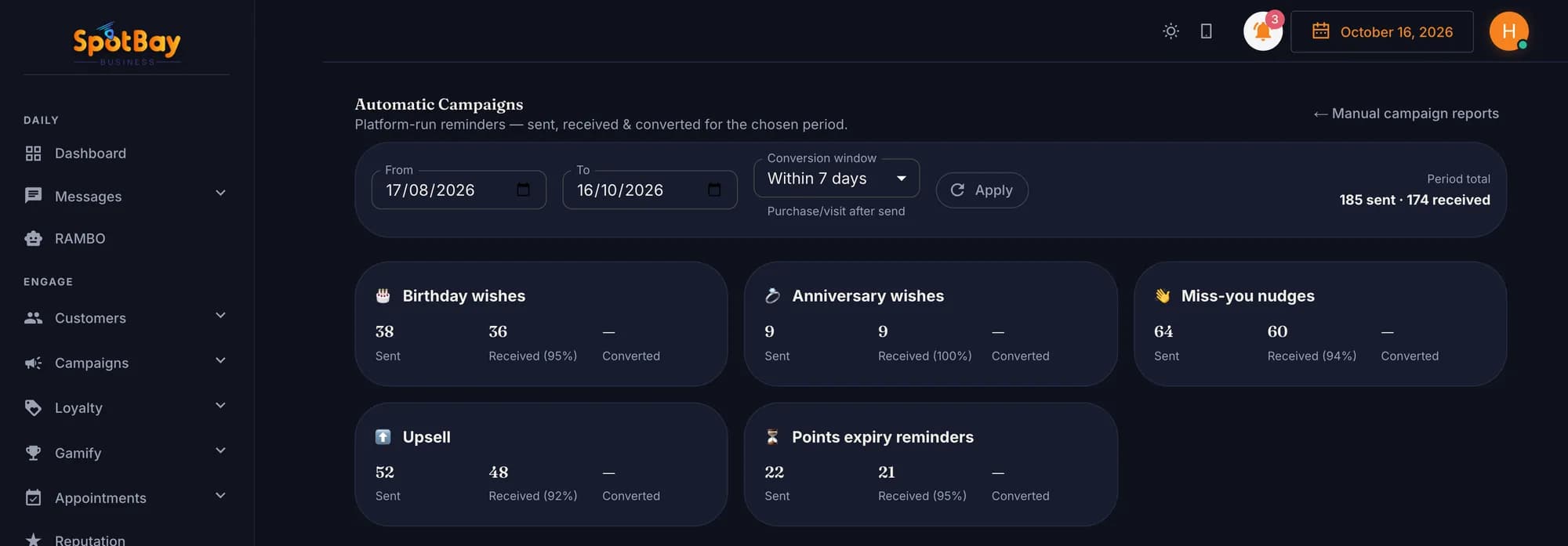
Birthdays, anniversaries and miss-you nudges
The everyday messages that bring customers back, each with its own results.
- Birthday and anniversary wishes
- Miss-you nudges and points expiry reminders
- Sent and converted counts
How businesses use it
Restaurants & cafés
Café Aroma’s welcome bot shows a customer their points with one tap. If they have a question about the menu, they type “human” and the staff reply from the Inbox.
Salons & spas
Glow Studio’s booking bot lets a customer pick a service, day and slot inside the chat. They get a WhatsApp confirmation and a reminder before the visit.
Clinics
CarePlus Clinic links a Support/FAQ bot to its welcome menu for timings and directions. Patients who want the front desk type “talk to someone”.
Fitness & wellness
Pulse Fitness runs a Lead Nurture bot for trial enquiries. It saves each answer to the lead and follows up when the person stops replying.
Hotels
A hotel sets one bot for its front-desk number and another for its marketing number, so guests get the right menu on each.
Retail
Urban Threads adds a Bill upload option to its bot. Shoppers send a photo of their bill, it is read automatically, and the store approves the points.
What’s included
Flow builder
Build bots from Message, Question, End and Action nodes. Give customers options as WhatsApp buttons or lists.
Bot purposes and sub-bots
Start from a purpose such as Welcome, Loyalty, Lead Nurture, Support/FAQ, Feedback or Contest. Link sub-bots to each other with a bot switch.
Lead Nurture bots
Answers are saved to the lead, follow-ups go out when the customer stops replying, and link buttons are tracked. Actions can tag, alert staff or hand over.
Booking bot
A ready system bot for appointments: service, day, slot, name, email and confirm, all inside WhatsApp.
Loyalty bot
The “Earn More” menu shows customers their points in the chat, without calling the store.
Human handoff
When a customer types “agent”, “human” or “talk to someone”, the chat goes to your team. Use Take Over and Return to Bot in the Inbox.
A bot for each number
Choose which bot answers on each of your WhatsApp numbers, and set a default bot.
Automations
Send a message when a date, product, category, visit, appointment or segment says it is time. Quiet hours and cooldowns keep it polite.
Revenue won
The Performance tab shows the revenue won when a customer comes back after an automated message.
Inside the builder
- Message, Question, End and Action nodes
- Options as WhatsApp buttons or lists
- Option types: Review, Branch select, Contest, Bill upload, Birthday and Feedback
- Sub-bots linked with a bot switch
- Appointment booking as a ready system bot
Routing and handoff
- Bots greet customers who send hi, hello or menu
- Handoff words: “agent”, “human”, “talk to someone”
- Take Over and Return to Bot in the Inbox
- One chosen bot per number, plus a default bot
- STOP or unsubscribe opts out; START opts back in
Automations
- Triggers: date field, product, category, visit, appointment or segment
- Repeats weekly, monthly, quarterly or yearly
- Quiet hours and cooldowns
- Performance tab with revenue won
- Google Ads leads: a team alert plus a reply to the lead
Works with the rest of SpotBay
Questions people ask
Do the chatbots use AI to reply?
No. Bots follow the flows you build, so customers get the messages and options you set. SpotBay’s AI assistant, RAMBO, is a separate Pro add-on that drafts campaigns for you to approve. It does not reply to customers.
Can a customer talk to a real person?
Yes. When a customer types “agent”, “human” or “talk to someone”, the chat goes to your team. You can also Take Over any chat in the Inbox and Return to Bot when you are done.
Can I set my own trigger words?
Not today. Bots respond to fixed words: hi, hello or menu to start, STOP and START for opting out and back in, and the handoff words. Inside a bot, customers move by tapping buttons or list options.
Can different numbers use different bots?
Yes. You choose which bot answers on each of your WhatsApp numbers, and set a default bot.
What do I need to run chatbots?
Chatbots need your own WhatsApp Business number, connected through Meta’s embedded signup. The chatbot design tool comes with Growth Pro, and WhatsApp Pro includes chatbots with the live chat inbox. See the pricing page for details.
What can start an automation?
A date field such as a birthday, a product or category the customer bought, a visit, an appointment, or a segment. Automations can repeat weekly, monthly, quarterly or yearly, with quiet hours and cooldowns.
How do Google Ads leads work?
Connect your Google Ads lead form to SpotBay’s lead webhook. Each new lead gets a WhatsApp acknowledgement, and your team gets a WhatsApp alert so they can call back.
See Chatbots & Automation working for your business
Create your account on the ₹0 plan and add what you need as you grow — or let us show you around on WhatsApp.