Every customer who bills or chats with you, in one list you can act on
SpotBay builds your customer list from POS bills and WhatsApp chats, so nobody has to type it in. Tag people, see who falls into each Smart Group, track new leads and reply from one inbox across your numbers.
- Customer list built from bills and chats
- Tags you create, ready for campaigns
- Leads page with source, status and tags
- One inbox across all your numbers
- Runs in any browser
- Android POS app
- Official WhatsApp Business Platform
- GST invoices
See it in action
From first bill to the next visit
How a customer lands in your CRM, and how you reach them again.
Step 1 of 4
A closer look
The real screens you'll use
Captured from SpotBay with a sample business.
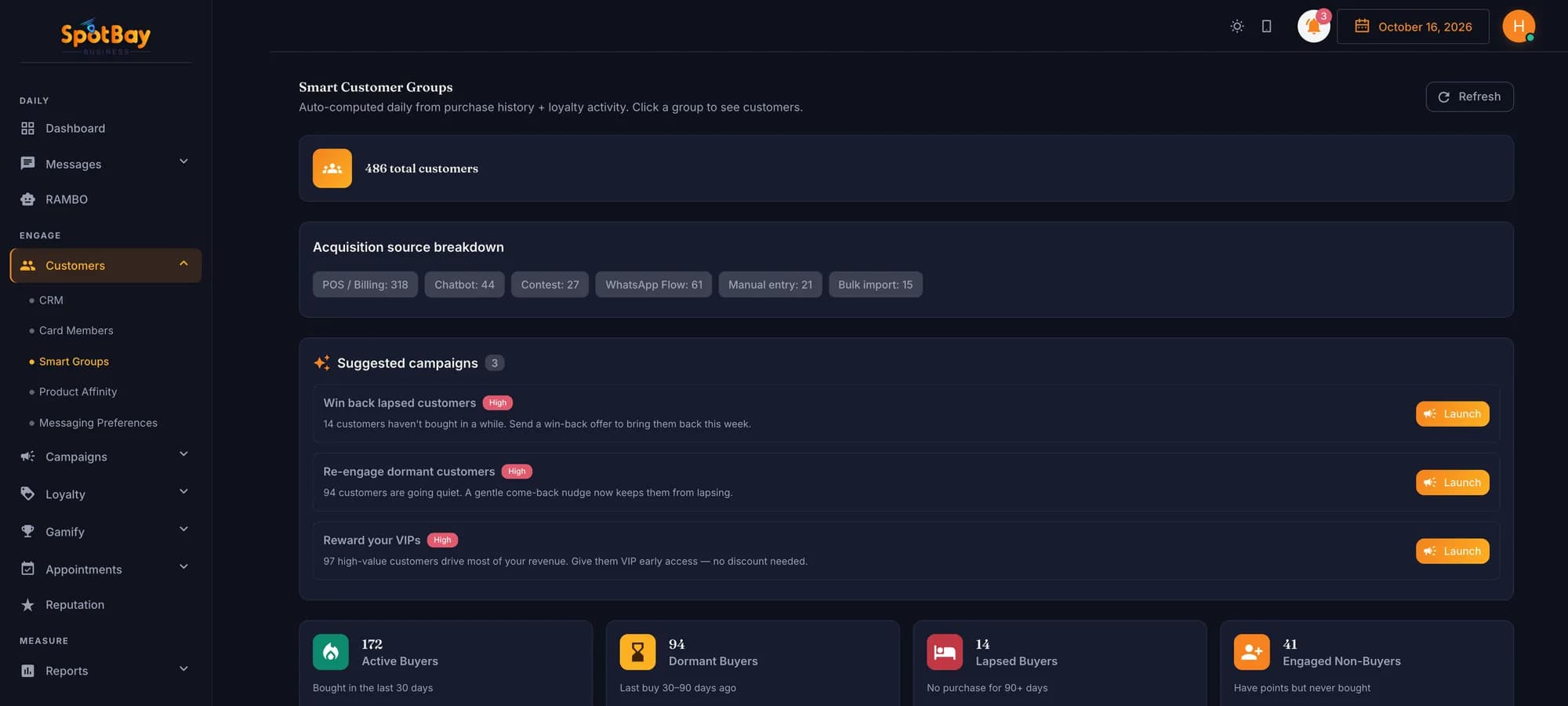
Smart Groups
Groups that keep themselves up to date
Customers move between Active, Dormant, Lapsed and High Value on their own, so your lists never go stale.
- Seven groups
- Refreshed every 3 hours
- Campaign suggestions per group
How businesses use it
Restaurants & cafés
Café Aroma tags its regulars as “Weekend regular” or “Coffee lover”, then sends the coffee lovers a message about its new brew.
Salons & spas
Glow Studio's bridal enquiries from Google Ads land on the Leads page. The team gets a WhatsApp alert and the bride gets an acknowledgement right away.
Clinics
CarePlus Clinic tags patients by treatment, such as “Physio course”, so the front desk can broadcast an update to just that group.
Fitness & wellness
Pulse Fitness checks its Dormant Smart Group each week to find members whose last purchase was one to three months ago, and invites them back.
Hotels
A hotel answers guests on its front-desk and restaurant numbers from one inbox, and the unread counts show what still needs a reply.
Retail
Urban Threads opens its One-Time Buyers Smart Group to see who has shopped only once, and sends them a reason to come back.
What’s included
CRM list
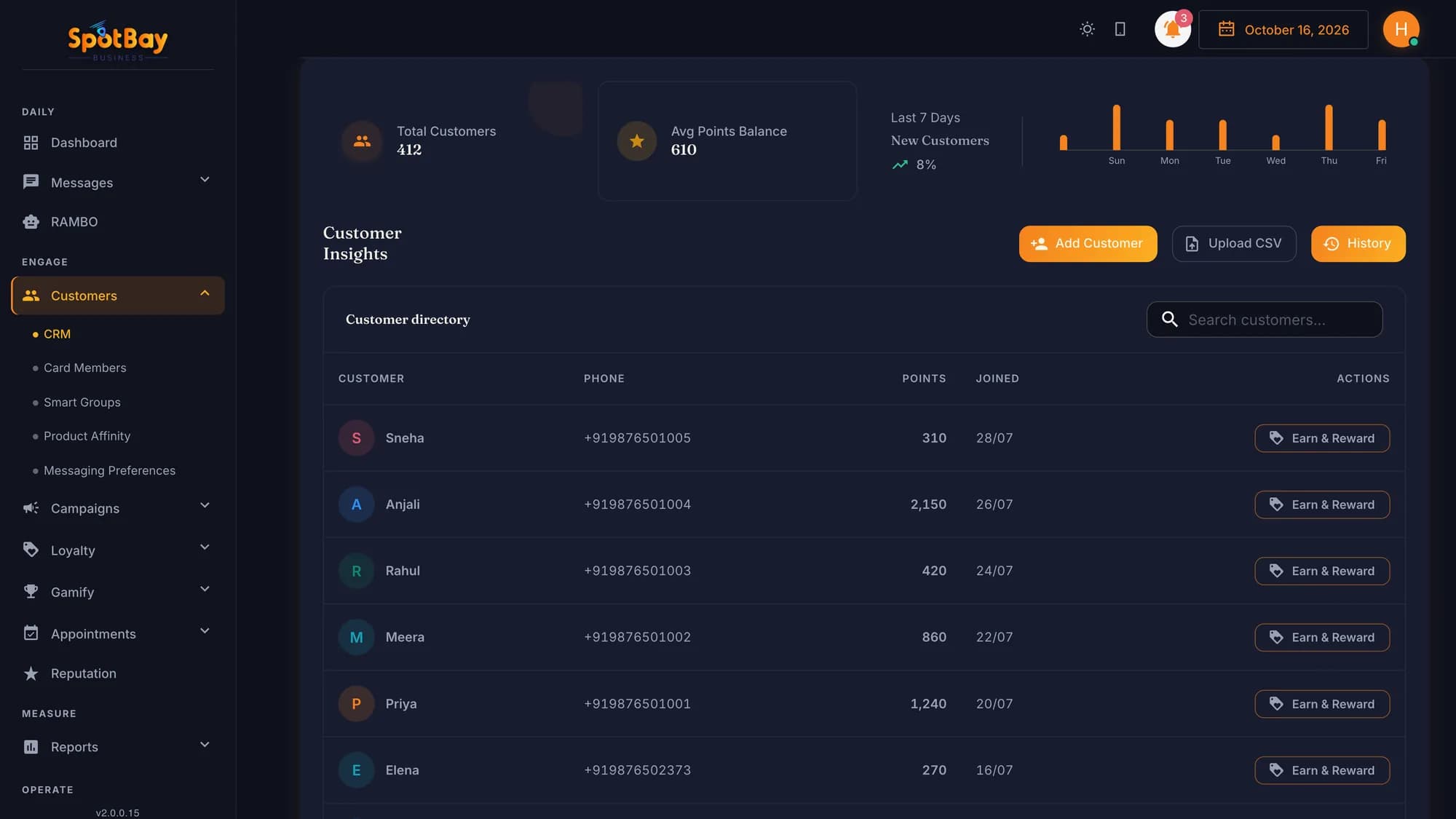
Customers from your POS bills and WhatsApp chats in one list, without anyone typing them in.
Tags
Create your own groups on the Tags page and add customers to them. Use a Tag as a campaign audience or to broadcast from the inbox.
Smart Groups
Active Buyers, Dormant, Lapsed, Engaged Non-Buyers, Cold Leads, High Value and One-Time Buyers, sorted for you and refreshed every 3 hours.
Leads
The Leads page shows each lead's source, status and tags, so you can see where each lead came from and where it stands.
Google Ads leads
Connect your Google Ads lead form with a webhook. Each new lead alerts your team on WhatsApp and gets an acknowledgement message.
Lead Nurture bots
Answers are saved to the lead, follow-ups go out when the lead stops replying, and link buttons are tracked. The bot can tag the lead, alert staff or hand over to a human.
One inbox across numbers
Chats from all your WhatsApp numbers in one place, with search and unread counts. Take Over from the bot, then Return to Bot.
Broadcast to a Tag
Send one message to everyone in a Tag straight from the inbox.
Messaging Preferences
When a customer replies STOP or unsubscribe, they're opted out; START opts them back in. Review opt-outs on the Messaging Preferences page.
Where people come from
- Bills on SpotBay POS with the customer's mobile number
- Chats on your WhatsApp numbers
- Customers who scan your WhatsApp QR and say Hi
- Google Ads lead forms, onto the Leads page
What you can do with them
- Add them to Tags you create
- Send a campaign to a Tag or a Smart Group
- Broadcast to a Tag from the inbox
- Let automations send birthday wishes and miss-you nudges
- Follow up on leads with a Lead Nurture bot
Where customer data comes from
- Bills from SpotBay POS, or sales you import from another POS
- WhatsApp chats and the answers customers give your chatbots
- Google Ads lead forms, with the source on each lead
- Tags you add, and Smart Groups that update on their own
Works with the rest of SpotBay
Questions people ask
Where does the customer list come from?
From your POS bills and your WhatsApp chats. When you add a customer's mobile number to a bill on SpotBay POS, or a customer messages your WhatsApp number, they appear in your CRM list.
What's the difference between Tags and Smart Groups?
Tags are groups you create and fill yourself, such as “Coffee lover” or “Physio course”. Smart Groups sort customers on their own, for example Dormant or High Value, and refresh every 3 hours. You can send a campaign to either.
Can my team assign chats or leave notes?
No. SpotBay's inbox doesn't assign chats to particular staff members, and it has no internal notes or saved replies. It does give you one inbox across your numbers, with search, unread counts and Take Over / Return to Bot.
How do Google Ads leads get in?
You connect your Google Ads lead form to SpotBay with a webhook. Each new lead appears on the Leads page, your team gets a WhatsApp alert, and the lead gets an acknowledgement message.
Do I need my own WhatsApp number?
For the inbox, chatbots and campaigns, yes. You connect your own WhatsApp Business number through Meta's embedded signup inside SpotBay. The free plan uses SpotBay's shared number instead.
Can I message a customer days after they last wrote?
Yes, with an approved template. WhatsApp lets you reply freely for 24 hours after a customer messages you. After that, the inbox shows an “Outside service window” warning and you'll need a template.
What does it cost?
WhatsApp Pro is ₹5,000 a month and includes the live chat inbox, chatbots and 5 WABA approvals. Growth Pro is ₹2,000 a month per branch with your own number (₹5,000 setup per number). Growth Free is ₹0. Plans are billed annually, plus 18% GST, and WhatsApp message charges are separate.
See WhatsApp CRM working for your business
Create your account on the ₹0 plan and add what you need as you grow — or let us show you around on WhatsApp.